The Fence Goes Up First
I gave an AI shell access to my OPNsense firewall, then put it under the same change control I'd give any engineer. It staged every change and waited for approval. That gate caught a rule that would have pushed my whole network through one tunnel.

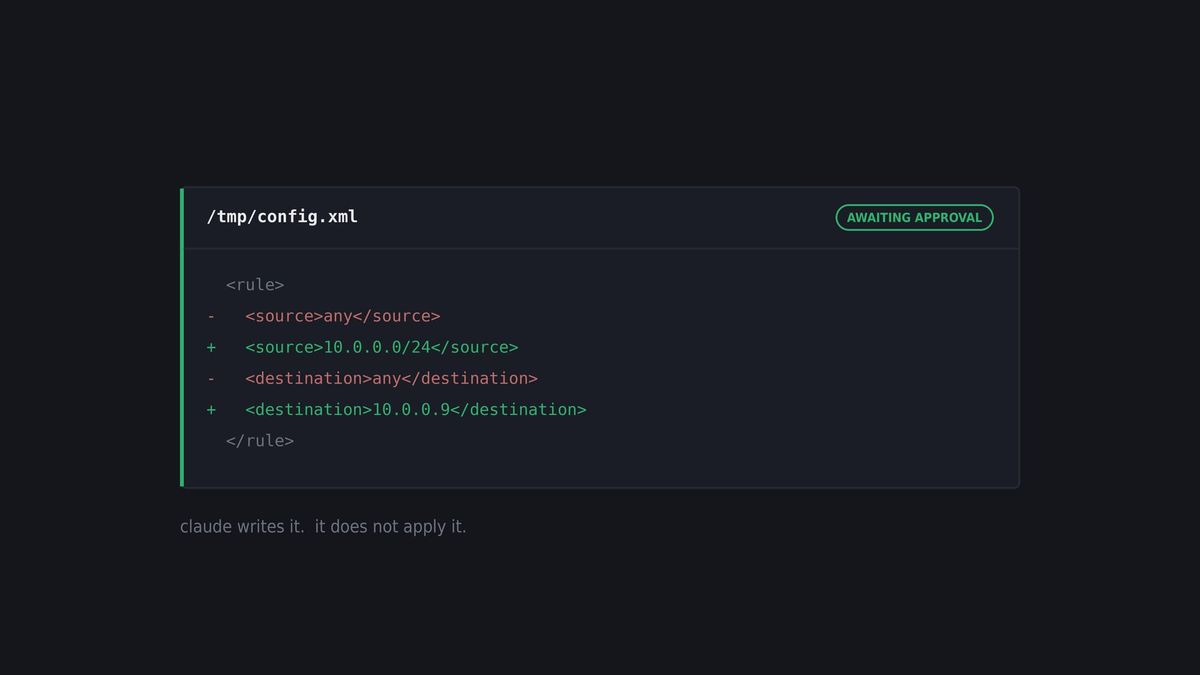
tl;dr - Gave Claude SSH on my OPNsense router. Same change control I'd give an engineer. It staged, I approved, we verified. The gaps in that were mine.
Nobody pushes straight to production
I've spent 25+ years in IT, and most of it running change control in one form or another. The rule never changes. You can be the best engineer on the team and you still don't push to production off your own say-so. Somebody reviews it. Not because you're untrusted, but because a second set of eyes is cheaper than an outage.
So when I decided to let Claude administer my OPNsense box directly, I didn't invent a new process. I gave it the one every engineer I've ever managed already works under. Scoped credentials. Stage the change. Explain it. Wait for approval. Verify after.
Here's what people miss about AI-assisted ops. The risk isn't a malicious assistant. It's that you're suddenly moving four or five times faster, and speed removes the pauses that used to catch you. Those thirty seconds you spent typing a command by hand were thirty seconds of thinking. Automate that away and the thinking has to live somewhere else.
I put it in the review step.
The setup, briefly
My router was an OPNsense box that had been in service for several years and had never been audited. Rather than click through the web UI, I had Claude work directly against /conf/config.xml over SSH.
That's the whole trick. A web interface shows you what somebody configured. The config file shows you what's actually on the machine. Those are very different lists, and I'll get to what the difference contained.
But first, the process.
Six controls and why each one is there
1. A dedicated non-root user, key auth only
Created under System, Access, Users with an authorized ed25519 key. Not root. Not my admin account.
SSH_AUTH_SOCK="" ssh -o IdentitiesOnly=yes -i ~/.ssh/id_ed25519 claude@router.lanWhy it's there: blast radius, and revocation. Root can do anything, including the things you never thought to scope. A named account means I can see what that account did, and more importantly I can delete it in one move. If I ever want to shut the whole thing down, it's one user deletion and one key removal. Not an archaeology project.
Both of those ssh flags earned their spot. SSH_AUTH_SOCK="" bypasses the agent, because my SSH agent kept refusing with "Session was not authorized" and no popup to authorize. IdentitiesOnly=yes stops ssh offering every key it owns before the right one.
2. A scoped sudoers file at 0440
Why it's there: the account needs some elevation to be useful. It does not need all of it. And the permissions on that file matter as much as its contents. A world-readable sudoers file is a map of exactly what your automation is allowed to do, sitting on the box, readable by anything that gets a shell.
Honest note. I found mine sitting at 0644 during the audit. My own file, my own mistake, caught by the same method I'm describing. Guardrails don't help if you don't inspect them too.
3. Write to /tmp first, then promote
Every config change got written to /tmp and reviewed before it went anywhere near /conf.
# stage
python3 -c "import xml.etree.ElementTree as ET; ..."   # writes /tmp/config.xml

# review, then promote
sudo cp /tmp/config.xml /conf/config.xml

# apply
configctl filter reload
Why it's there: this is the whole thing. It splits producing a change from committing one, and I sit in that gap.
Claude writes the change. Claude does not apply the change. It comes back and tells me what it's about to do and why, and nothing touches /conf until I say go. That's a pull request for your firewall, and it costs one extra command.
The gap is where the value is. Not because I catch everything, but because the assistant has to state its intent out loud before acting, and stated intent is reviewable in a way that a completed action is not.
4. Verify against pf, not against the config
pfctl -srWhy it's there: you have three sources of truth and only one of them is moving packets. The web UI shows you an interpretation. The config file shows you intent. pfctl -sr shows you what's actually being enforced. When those three disagree, pf wins, and pf is the one nobody checks.
This is the guardrail that paid for all the others. More on that in a second.
5. GPG-encrypted backups, plus a tested reboot
Config backups encrypted with GPG before anything structural, plaintext copies deleted. And then an actual live reboot to prove recovery worked, not an assumption that it would. Full recovery in about 90 seconds.
Why it's there: a rollback plan you haven't executed isn't a rollback plan. It's a hope. Rebooting your own router on purpose, on a Tuesday, when you're calm, is a much better time to learn it doesn't come back than the alternative.
6. Make it defend the change
The approval gate is worthless if approval is a rubber stamp. So the review is a conversation, and I ask the same things I'd ask an engineer in a change review.
Why this and not the obvious other thing. What breaks if you're wrong. How do we back it out. Where'd that number come from.
Twenty-five years mostly teaches you what an easy answer feels like. A fix that's too clean. A day-long problem that resolves in ten minutes. A tool reporting green right after something clearly broke. The feeling shows up before the reason does, and it's almost always worth stopping for.
Claude is fast, confident, and articulate. Those three qualities describe a correct answer. They also describe a plausible one, and from the outside they look identical.
So when something sounded too smooth, I'd push, and this is the part that surprised me. It goes and checks. Not always agreeing with me either. Sometimes the check backed my instinct and we threw the proposed change out before it went anywhere. Sometimes it came back with a source showing I'd been wrong, which is just as useful and considerably less fun. And more than once it re-derived its own answer, found the reasoning didn't hold, and corrected itself before I'd said anything more than "walk me through that again."
That last one is the argument for the whole approach. Being asked to justify a change is not a formality. It's a second pass over the same problem, and second passes find things.
The verification is the guardrail, not the pushback. An assistant that simply folds whenever you question it isn't being careful, it's agreeing with you instead of agreeing with the last thing it said. Same failure, different hat.
What the process let me go find
With the process in place I stopped being nervous and started being thorough. That's the actual payoff. Change control doesn't slow you down, it lets you take the brakes off everywhere else.
The census found:
- NextDNS answering every DNS query on my network for about two years. I'd removed the package. The binary and config survived and kept running, holding port 53, which meant Unbound could never bind. The resolver I thought I was running had never once run. It respawned under a new PID after the first kill.
- Suricata fully configured for my WAN interface and completely absent from config.xml. Sixty megabytes, live, invisible to OPNsense's own tooling.
- OpenVPN 2.7.4 carrying six CVEs. I don't use OpenVPN.
- Maltrail with live rc.d scripts, never run once. Thirteen orphaned
rc.conf.dentries. Two Python 3.7 fossils. - DHCP registration switched off, so internal name resolution had never worked. Not once, in years.
- An IoT DNS redirect pointed at
127.0.0.1instead of the router, so the cameras it was meant to capture had been talking to public DNS directly the whole time. - A WAN pass rule from 2020 sourced from an interface that no longer exists on the box.
Net: 105 MB reclaimed, six CVEs retired, load average from 3.48 down to 0.56.
Two OPNsense specifics worth stealing. pkg info is not an inventory of what's running, it's an inventory of what the package manager knows about. And opnsense-update -p reinstates OpenVPN and Suricata, because they're in the base manifest and you cannot permanently pkg delete them.
The moment the review actually earned it
I run a VPN tunnel off the router so I can reach internal services securely from outside the house. The policy routing behind it was supposed to be narrow. One host, one port.
Saved from the GUI, that rule had empty source and destination fields. In OPNsense, empty means any. As written, it would have pushed every device on my network through that tunnel.
The UI rendered it as a perfectly normal rule. It looked right. It was only visible as wrong in the config file, and only provably wrong when checked against pf.
That's guardrail four doing its job. Not my judgment, not care, not paying attention. A mechanical verification step that ran whether I felt like it or not. That's the difference between a habit and a control.
Where the process had gaps
I'd love to end there. Four places it didn't hold, and they're more useful than the win.
The process covered the machine, not the session. The same night I set up matching keys across hosts, a busybox sed -icorrupted /etc/passwd on a different server entirely. Same working session, one hop away. Every control I'd built was aimed at the router, so none of them were watching when the work wandered off it. That host needed a physical console to recover.
None of it applied to the improvised gear. When the router later died and I stood up a stopgap in a hurry, sudo permissions accreted one command at a time until the whole thing collapsed to NOPASSWD: ALL. Every single grant was reasonable in the moment. The destination was not. Incremental privilege converges on total privilege when nobody's watching the total.
That's the pattern worth naming, because it's the one that gets people. Change control gets written when you're calm and suspended when you're under pressure, which is exactly backwards. The incident is when you need it most.
Nothing in the process watched the hardware. For about a week before it died, the router had needed multiple attempts to power on after a reboot. I logged it and ordered replacement hardware, which is why a spare was already on the shelf when it went down during a routine reboot. What I never did was set a threshold. Every control I built fired automatically against the config. The one signal that actually predicted the outage had no check behind it at all, so it sat in the same mental queue as everything else and lost.
The review is the only control that can quietly not run. When the box died I had a working theory, and Claude agreed with it. Then it went further and offered a model-specific failure pattern that no source actually supports. I didn't push on that one, and I push on almost everything.
Here's why, and it's the most useful thing in this post. My skepticism is tuned to answers that sound too good. It is not tuned to answers that sound like mine. An assistant has no independent stake in the outcome, so it has no reason to argue with a conclusion you've already reached. It optimizes for agreement, and agreement arrives sounding exactly like corroboration. Two confident opinions and zero new evidence is not confirmation. It's the same opinion twice.
There was a twenty minute serial console test that would have settled whether the board was dead or just hung with no video. Nobody ran it. The cause stays formally unknown, by choice, and I'm fine with that. I'm just not going to call it a diagnosis.
Enforced versus structural
Every control I've described is enforced. It works because someone chooses to run it. That's a fine arrangement on a Tuesday afternoon and a different proposition mid-incident, when the fast path and the correct path stop being the same path.
I'm on a UniFi gateway now. It has no SSH at all, by design. And I've deliberately excluded it from my AI tooling entirely, so there's no path to it even through the tools that manage everything else in the house.
That's a structural guardrail. It isn't a rule I follow, it's the absence of a door. Nothing has to fire correctly at the worst possible moment, because there's no second route to take.
Is that better? Honestly, it's a trade. When that appliance later starved its own management process, I had no shell to look with. I diagnosed it by inferring from an API and fixed it with a reboot. On the OPNsense box that's a two minute look at a process list.
So I gave up the ability to investigate in exchange for a boundary that can't erode. Some days I miss the shell.
What I'd actually tell you
Give the assistant real access. It's the difference between describing your infrastructure and letting something see it, and an audit that used to be a week of evenings becomes one evening. That's what turns the tide on the boring work that never gets done.
Then put it under change control before you start, while you're calm, and write down why each step is there. The why is what keeps you from quietly skipping one at 1 a.m. when it's in your way.
Check that the process covers the machine next door, because that's where mine had a hole.
And if your router starts needing two tries to power on, that's not a quirk.