AI · · 6 min
Teach AI Your Voice, Then Give It Somewhere to Remember It
Before you start: This is for personal accounts, personal devices, and writing you're entitled to share. Don't connect corporate email, Slack, or Teams for this exercise. Your employer's AI and information-security policies still apply at home. A personal account doesn't make confidential work material safe to upload either.
tl;dr - Give your AI real writing examples. Spend twenty minutes explaining your preferences. Save the guide somewhere projects can read. Keep the judgment and final approval yours.
Yes, AI helps write this blog
Most of this blog is drafted with AI. There, cat out of the bag.
The experiences are mine. The projects, opinions, things that broke, and things I learned are mine. I bring those to the conversation, work through the draft, correct what doesn't fit, and decide what gets published. AI does a lot of the writing between the initial idea and that final decision.
Getting it to sound like me took more than asking it to be conversational. That instruction leaves a lot of room for a machine to decide what conversational means. Usually with more enthusiasm than I intended.
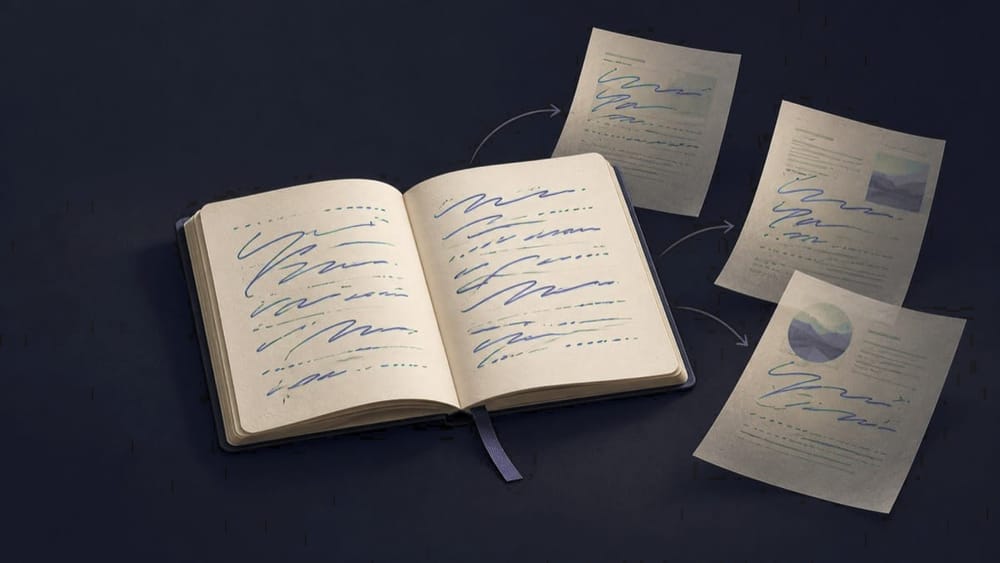
What helped was giving it examples of how I actually write, answering questions about my preferences, and saving the result somewhere my other projects could read it.
The useful thing you finish with is a voice guide. Something you can inspect, correct, and carry into the next project.
Give your voice a home
I use Basic Memory, the open-source application behind my Shared Memory setup. I wrote about that setup in The Filing Cabinet Every Project Can See. Different projects can read the same notes instead of depending on me to copy everything between conversations.
That makes it a good home for a writing guide. Refine the guide in one project, save it, and have another project read the current version before drafting. For someone using several projects or AI tools, this is the route I'd recommend.
Basic Memory stores notes as Markdown. It has local and cloud options, although the documented standard ChatGPT plugin connection uses Basic Memory Cloud. Installing the local application doesn't automatically connect it to ChatGPT. Follow the setup instructions for your AI tool.
If that setup is more than you want to take on, a file called my-writing-voice.md works too. Markdown is plain text with simple formatting. Ask the AI to create the file, download it, and add it to the files in each project where you want your voice used.
The tradeoff is maintenance. If you change the original, replace the uploaded copies. Otherwise, different projects will be following different versions of you.
You don't need a Git repository for this. You need a document your AI can read, and a clear instruction to read it.
Start with writing you've already done
Create a dedicated project for developing your voice. Give it access to Basic Memory, or plan to export the finished guide as a Markdown file.
Your personal Sent folder is a useful starting point. You've probably spent years explaining things, making requests, thanking people, and disagreeing politely. There's a lot of your voice in there already.
If your AI offers a suitable connection to personal Gmail or iCloud Mail, you can use it. You can also select and paste examples yourself. Connecting an entire account isn't a requirement.
Choose a small, varied selection of recent messages you wrote yourself. Exclude quoted replies, signatures, private details, and messages AI already wrote for you. If you're aiming for blog posts, include some original longer writing too. A quick email and a thousand-word explanation have different jobs.
Be specific about what the AI should do:
Read these examples of my own writing and describe my style. Look at sentence length, paragraph structure, vocabulary, humor, directness, and punctuation. Ignore quoted messages and signatures. Save an initial voice guide containing style observations, without private correspondence or identifying details.
Keep corporate email out of this. Same with company Slack and Teams. You don't need customer information, internal decisions, or someone else's messages to teach an AI how you write.
Now let it interview you
Once it has an initial guide, give it this:
Now interview me about my writing, one question at a time, until you can write like me without me fixing it.
Set aside about 10–20 minutes to answer. You can type your responses as you go, or ask for the full list and answer them aloud.
When I did this, the AI gave me about ten questions asking for different kinds of responses. I answered them in Voice Memos, copied the transcript, and handed it over. It wanted me to be natural. No rehearsing, no correcting myself to make the answers sound better. How I answered was part of what it needed to learn.
If you prefer that route, tell it:
Give me the full list of questions, including the kinds of responses you want. I'll answer naturally in a transcription app and give you the transcript.
Voice Memos lets you copy a transcript on supported iPhones. Another transcription app works too. The point is to answer as yourself, without turning it into a writing assignment.
Mention any firm preferences while you're there. For me, that's no em dashes. Other people use them, but I don't want them added to my writing. The same goes for words, phrases, or levels of enthusiasm you'd never use.
Try it, then save it
Give the AI a few true details about your weekend, then ask:
Using only the weekend details I just gave you, write a short paragraph in my voice, then tell me which rules you used.
Does it sound like you? If something feels off, say so. You don't need to turn this into a long editing exercise.
Have it save the finished voice guide to Basic Memory, or export it as a Markdown file. Keep the style observations and useful, non-sensitive examples. The raw emails don't need to come along.
Then add this instruction to your other writing projects, replacing the name with your actual guide:
Before drafting on my behalf, read “My Writing Voice” from Basic Memory, or the attached my-writing-voice.md file. Follow it for style. Use the facts I provide, and ask when something important is missing. Don't invent experiences or opinions for me.
The guide needs to be read to be useful. Give each project access and tell it where to look.
Where I'd use it
This next part is my opinion. These are my boundaries, and you may draw yours differently. School rules, workplace policies, and disclosure requirements still matter.
Résumé refinement makes sense to me. I know AI and résumés can start an argument on LinkedIn before breakfast. But if the skills and work history are yours, I don't see a problem with help making them clear and fitting the expected format.
A résumé coach does some of that too. I'd rather have help that preserves how I communicate than end up with a polished document I can't recognize. The limit is straightforward: no invented accomplishments, inflated responsibilities, or claims I can't defend.
Blog posts are another obvious use. This one included. I supply the subject, experience, and opinions. AI helps organize, draft, and edit. I review the claims and decide what runs.
Think of a newspaper's editing process. A story passes through people who question the angle, tighten the copy, suggest a headline, and check details. AI helps me with parts of that process. I'm still responsible for checking facts, judging sensitive material, and approving publication.
Where I draw the line
The distinction for me is whether AI helps express my thinking or takes over thinking I'm expected to do myself.
For a term paper, doing the research and constructing the argument are part of the assignment. Follow the school's rules, but don't miss the learning because a tool can produce something that looks finished.
A business report needs the same judgment. Formatting a table or tightening a paragraph is one thing. Putting your name on quarterly results you don't understand is another. If someone questions the numbers, you need to explain them.
Personal email replies are a boundary for me too. I want those messages to reflect how I feel and what I want to say to that person. I prefer to write them myself. It also leaves me with fresh examples of my own writing, instead of gradually teaching the AI from its previous output.
That's what I want from a voice guide: help carrying my voice into work I've chosen to do with AI. I can give it examples, explain the rough edges, and make those instructions available wherever I write.
I still read what comes back. It has my name on it.