Claude · · 7 min
The Filing Cabinet Every Project Can See
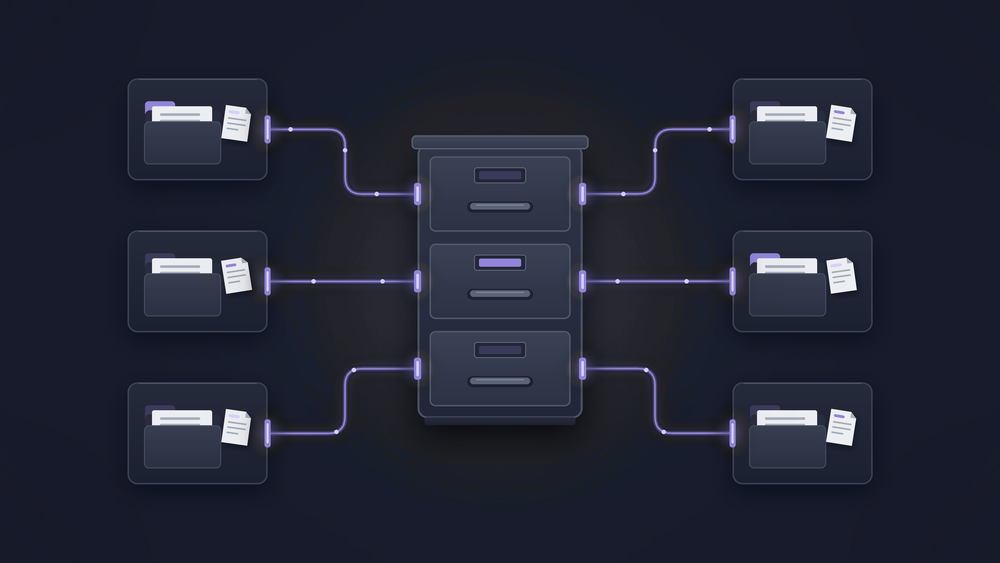
tl;dr - Claude Projects can't see each other (for now). I gave them one shared store. Open source, self-hosted, plain markdown. Now my blog reads everything else.
The wall
I run a lot of Claude Projects. Homelab, a sports app I'm building, a home remodel, radio projects, and this blog. Each one is its own room with its own files, instructions, and chat history.
That's on purpose. Anthropic built memory so every project gets its own, and confidential work doesn't bleed into everything else. It's good design. It's also a wall.
The problem is my work doesn't stay in its room. A homelab fix on Tuesday becomes a blog post on Friday. The sports app runs on the homelab. The remodel notes reference the network. Without a shared layer, writing a post meant playing telephone. Open the homelab project, ask what we did, copy it, switch back to the blog project, paste, repeat. Shoulder taps between rooms, all day.
Six projects, most of them leaning on the same network. That's six copies of the same explanation and six chances for one of them to drift out of date. One shared store gets that down to one.
So what's the fix?
Not a bridge between projects. There's no API for that, and past-chat search only covers the project you're in. The fix is giving every project a key to the same filing cabinet. The projects still can't see each other. They can all see the cabinet.
The cabinet is Basic Memory. It's open source, it speaks MCP, and it stores notes as plain markdown files on disk. Why does markdown matter? If the project disappears in 18 months, I still have a folder of readable notes, not a database nobody can open. I wanted the memory to be mine, not the vendor's.
How it's wired, and why it's locked down
Here's the thing about Basic Memory. It ships with no login at all. That's fine when it runs on your laptop and only your laptop talks to it. It's not fine on a homelab.
Claude doesn't connect to my house. It connects from Anthropic's cloud. So for any of my projects to reach the store, the store has to be reachable from the internet. Run it as-is and anyone who finds the address can read and rewrite every note I've written.
That's the math. Out of the box, zero locks. So I added them in layers:
- The app only talks to the machine it's on. It's bound to loopback, so even a device on my own Wi-Fi can't reach it directly. The only thing allowed to talk to it is the gate.
- One gate, one door. Caddy sits in front as the only way in. No valid credential, you get a plain 404. Not "access denied," just nothing. Why does that matter? A 401 tells a scanner something's there. A 404 doesn't.
- No open ports at home. A Cloudflare Tunnel makes an outbound connection from my house to Cloudflare. Nothing is port-forwarded on my firewall, TLS ends at Cloudflare's edge, and my home IP isn't published anywhere.
- No new name in public logs. The hostname rides an existing wildcard certificate, so it never shows up in the public Certificate Transparency logs people scan for new services.
- No secrets in the notes. Operational notes and publishable notes live in separate folders, and passwords and keys don't go in either one.
- Backups I can actually restore. Nightly commit, nightly copy off the box, and an encrypted off-site backup with a key only I hold.
The honest limit: my credential lives in the connector URL, not a header. Header auth on connectors wasn't available on my account when I set this up. It works, but rotating it means changing the gate and re-adding the connector in Claude at the same time. Change one side only and you've locked yourself out.
Then it gets added to Claude as a custom connector called "Shared Memory." It showed up in Claude Code too, no extra setup.
Storage was the easy part
Getting notes onto disk took an afternoon. Two other things took the real thinking.
It ships with no authentication. That's fine on a laptop. It's not fine here, because Claude reaches connectors from Anthropic's cloud, not from my house. So a service with no lock, holding every note I've written, has to be reachable from the internet. Read that twice. The proxy isn't a convenience layer, it's the only lock on the door.
One gotcha worth calling out. The legacy SSE transport advertises its message endpoint as a root path, which strips off the secret path the gate depends on. Auth breaks. The newer streamable-http transport carries the session in a header instead and doesn't have the problem.
Tools sitting there doesn't mean tools get used. I connected the store, the tools showed up, and Claude never called them. The fix is one line in every project's instructions: search the store before substantive work, write durable decisions back when you're done. Without that line you get a read-only archive that quietly goes stale. Everybody has one of those. It's the notes app you stopped opening in 2019.
Also, connectors get toggled on per conversation, not per project. If a project comes back empty, check the toggle before you check the server.
How the blog actually uses it
Two habits make this work for writing.
Two tiers. Operational notes with real config live in one folder. Sanitized notes that are safe to publish live in another. Drafting only reads the safe folder. The boundary is structural, so a summarizing mistake can't surface a secret.
A nightly journal. When I wrap up in a project, I say "good night Claude." It writes one dated note for that project: what happened, decisions, dead ends, open items, and blog hooks. The dead ends are the best material. Nobody wants to read about the config that worked on the first try.
So now I open the blog project and ask what happened in the homelab this week. It reads the journal and the writing notes, and tees up a draft. No back and forth. This post is that. It was drafted from notes written by the projects that did the work.
The honest part
I found a gap this morning. The setup note said the store was under version control. It had exactly one commit, from the day I set it up, and the backup script swept a different folder. Two months of notes lived on one disk. It surfaced during a pre-upgrade check, which is exactly why you do a pre-upgrade check. Nightly commit added, folder added to the backup, verified the backup actually contains it. One copy at breakfast, four by lunch.
Anthropic has shipped some of this since. A project can now keep its memory connected to your general account memory or separate. That's project to general, not project to project. It's also a profile of who I am, not a searchable set of runbooks. Native memory remembers how I like things written. The store remembers which port the gate listens on, why SSE broke, and what we decided in August. Both are on. Neither replaces the other.
It's a homelab service. If the Mac mini is down, the memory is down. I'm fine with that trade.
If you're starting today
You've got two paths, and the right one depends on whether you already run a homelab.
Path 1: Pay for the hosted version. Basic Memory Cloud is $15 per seat per month, with a 7-day trial. They handle the hosting, the login, and the sync, and your notes are still exportable markdown. A Business tier at $30 per seat adds SSO and audit logs. If you don't have a server sitting in a closet, start here. Fifteen bucks a month is cheaper than your Saturday.
Path 2: Self-host the open source version. It's free under the AGPL-3.0 license. This is what I did, because I already run a homelab and I wanted the notes on my own disk. You own the uptime, the security, and the backups. Here's the order I'd do it in:
- Run it locally first. Install from the GitHub repo, connect Claude Desktop or Claude Code, and confirm notes land as markdown files you can open. Don't expose anything until this works.
- Bind it to loopback. The app should only answer the machine it's on.
- Put an auth gate in front. A reverse proxy like Caddy that requires a credential and returns 404 without one. Use header auth if your Claude account supports custom headers on connectors. Use a long secret path if it doesn't.
- Expose it with a tunnel, not a port forward. Point the tunnel at the gate, never at the app. Point it at the app and you've skipped the lock entirely.
- Use the streamable-http transport. Not legacy SSE. SSE strips the secret path and breaks the gate.
- Add it to Claude as a custom connector. Then remember it's toggled per conversation.
- Add one line to every project's instructions. This is the step everybody skips. Mine reads:
- At the start of any substantive task, search Shared Memory for relevant prior context. When we resolve something durable (a fix, a decision, a config value, a gotcha), write a note back, tagged by project area.
- Split your folders on day one. One for operational notes, one for anything you'd publish.
- Back it up, then open the backup and check. "It's in the backup" and "I looked and it's in the backup" are two different sentences.
Takeaways
Share across projects, but keep the buckets. I didn't want one giant brain that mixes the remodel with the firewall. I wanted every project to stay in its own room and still be able to pull a file from the same cabinet. That's what this does. The walls stay up. The cabinet is shared.
The journal is a portfolio I didn't have to build. All of this tinkering has a second job. Two months in, that's about 105 notes covering what broke, what I tried, and what I decided. If that turns into an interview someday, I don't have to remember what I did. It's written down, dated, and searchable. Any employer who needs somebody who can take a gap in a tool and close it can read the receipts.
Gaps in tools usually have answers. Claude doesn't share memory between projects. Somebody already built a way around that, and it's open source. If you've got the hardware and the experience to run it safely, trying it costs you an afternoon. If you don't, the paid tier exists for a reason.
I'm not married to it. If Anthropic ships project-to-project memory natively and Basic Memory gets Sherlocked, I'll take a hard look at switching. Fewer moving parts is a good thing. But right now I like controlling exactly how notes move between projects. And I like knowing they sit on my own disk, not somewhere anybody else learns from.
Storage is cheap. The one line of instructions is what turned the tide.