Guides · · 11 min
Meshtastic for Emergencies: Text Your Family When the Phones Go Down
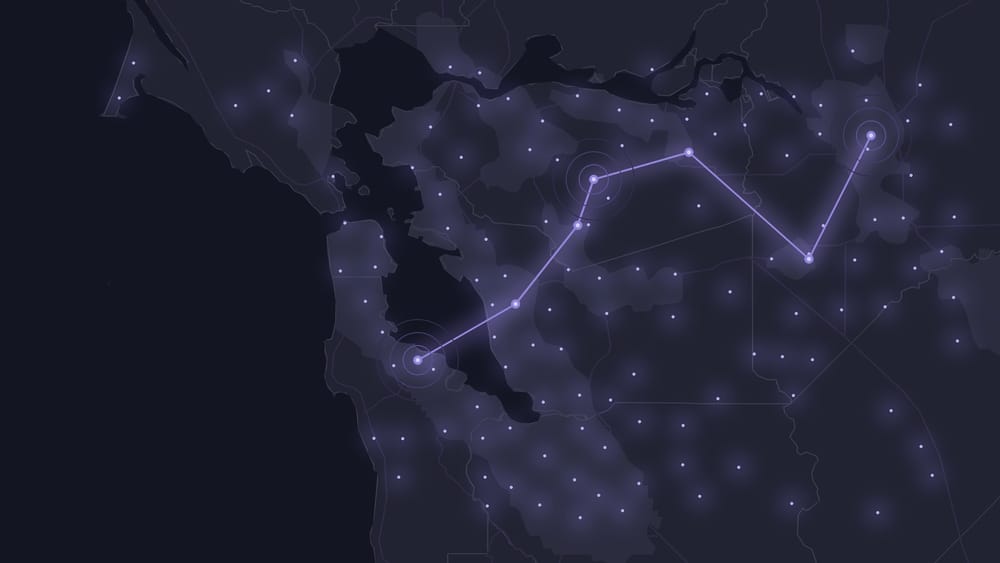
tl;dr - Phones and the cloud fail. Think pocket CB radio, but texting. No license, about fifty bucks. Set it up before you need it.
Last updated November 18, 2026. Bookmark this one. I'll keep it current as prices, devices and apps change.
Jump to a section
- Why you want a backup to your phone
- What is Meshtastic?
- Do I need a license?
- How far can Meshtastic reach?
- Is anyone near me?
- Which Meshtastic radio should I buy?
- What does it cost?
- How do I set it up?
- How do I keep my messages private?
- Emergency kit checklist
- What Meshtastic can't do
- Words you'll run into
Why you want a backup to your phone
Here's a question worth asking yourself. If your phone couldn't make calls or send texts tomorrow, how would you check on your kids, your parents or your neighbor down the street?
It happens more than people think, and you don't need a villain for it. In November 2026, Microsoft's Outlook went down worldwide for hours, and within about an hour people in 74 countries were reporting problems. Five days later, Apple had its own bad day. iCloud sign-in, Apple Pay, the App Store and iPhone activation all had trouble, and Apple Stores couldn't even ring up a sale. Neither was a cyberattack. Apple blamed an internal update, and Microsoft rolled back a network change. In plain English, both just broke.
The scarier version gets a lot of attention too. In August 2026, five federal agencies, including the NSA, CISA and the FBI, warned that attackers were actively going after the control equipment that runs U.S. power, water and manufacturing. A week later, the White House declared a national emergency over foreign threats to the power grid. I'm not going to tell you a nationwide blackout is coming. I don't know that, and neither does anyone posting about it in all caps. But the worry isn't coming from nowhere.
We've also seen what a big blackout does to phones. In April 2025, Spain and Portugal lost power for about ten hours. Calls and texts failed on most mobile networks, and more than 16 hours after the lights went out, people were still struggling to reach their families. Cell towers run on electricity, and their backup batteries only last so long.
FEMA says every household should have at least three days of food, water and supplies. Most people I talk to don't have that, and I get it. It feels like a lot. So let's start with something smaller, cheaper and honestly kind of fun. A way to send a text when the cell network can't.
What is Meshtastic?
Meshtastic runs on small radios, some no bigger than a credit card. Most pair with your phone the same way your earbuds do. You download a free app, type a message and hit send. One radio below doesn't even need the phone.
If you remember CB radios, that's the closest comparison. A CB in the truck or the kitchen was the emergency radio a lot of families counted on, an open channel anyone nearby could hear and answer. Meshtastic is the same idea with a much lower bar to get in. No bulky radio, no antenna on the roof, no radio lingo to learn. You type on the phone you already know, your messages hop through other people's radios to go farther than one radio could alone, and you can keep a private channel just for your family.
The difference is where the message goes. Instead of going to a cell tower, it goes out over the air from your radio to any other Meshtastic radio within range. If the person you're writing to is too far away, the radios in between pass it along until it gets there.
Think of passing a note across a classroom. You hand it to the kid next to you, they hand it to the next kid, and it lands on the right desk. Every radio nearby helps pass notes for everyone else.
No cell service. No internet. No monthly bill. The radio runs on a small battery, and a phone battery pack keeps both it and your phone going.
Do I need a license?
No. Same as CB, and unlike ham radio, which needs a license and a test to get it. Meshtastic uses no-license airwaves, so you can order a radio today and be texting your family by the weekend. Ham operators do amazing work in disasters, and plenty of people start with Meshtastic and get their ham license later. You don't have to.
How far can Meshtastic reach?
Range depends on the radio, what's in the way and how many other radios are around you. Here's the honest version.
- Across town: Yes. One radio held in your hand reaches a mile or more, farther on open ground. Every radio between you and the person you're writing to stretches that further.
- Across the county: Often. In a lot of areas, volunteers have mounted radios on hills and rooftops just to relay everyone else's messages. That's how a message from one side of a county reaches the other.
- Across the country: Sometimes. Some radios are connected to the internet and can hand your message to a radio in another state. That only works if someone along the way still has internet. If the outage is local, it can work. If everything everywhere is dark, you're talking to your area.
Talking to your area still beats talking to nobody. Knowing your family across town is fine, or that the neighbor on oxygen has power, is the whole point.
Is anyone near me?
Probably more people than you think. Free online maps like MeshMap show Meshtastic radios across the country. Only radios with an internet connection somewhere nearby show up, so the real number is higher than what you see. It's still a good gut check before you buy anything.
Opens MeshMap in a new tab. Tap the crosshair button to jump to your area. The crosshair looks up your rough location from your IP address.
Better yet, find a local group. Meshtastic keeps an official Local Groups list, sorted by state from Alabama to Wyoming. If your area isn't listed, search "Meshtastic" plus your city or county.
Local groups are worth it beyond the friendly help. Many post setup steps tuned for the area they cover, like which settings the local mesh uses, where the hilltop relays are and what works best with your terrain. Follow their lead over any generic guide, this one included.
Here's a bonus. Once your radio uses your local group's recommended settings, the public primary channel, also called Channel 0, turns into an area message board. I'm on BayMe.sh in the Bay Area, and when I drop into Channel 0 I see people posting weather reports, running ping tests to check their range and asking about things happening nearby. In an outage, that's where you'd ask what's going on down the street. Anything you post there is public, so keep personal details for your private group.
Which Meshtastic radio should I buy?
There are dozens of Meshtastic radios. Here's how I'd sort them for most people.
At a glance
- SenseCAP T1000-E, about $40: easiest, pocket sized, best in towns and cities
- LILYGO T-Echo, about $55 and up: small screen, swappable antenna, good for suburbs
- LILYGO T-Deck Plus, about $90 to $130: keyboard and screen built in, no phone needed
- Build your own: countryside and mountains, for people who already know Meshtastic
Easiest: SenseCAP T1000-E. This is the one I'd hand my parents. It measures 85 by 55 millimeters, the same footprint as a credit card, just thicker at about a quarter inch. It's sealed against dust and rain and pairs with the app in minutes. Expect a day or two of regular use per charge. The antenna is built in, so Seeed rates it at 2 to 5 kilometers outdoors, about 1 to 3 miles, and city testers see closer to a mile. That's fine in towns and cities, where plenty of other radios are around to carry your message the rest of the way. Charge it, power it off and toss it in your emergency bag.
A step up: LILYGO T-Echo. It pairs with your phone the same way, but adds a small e-paper screen, the kind e-readers use, so you can glance at incoming messages and battery without pulling out your phone. The antenna screws off, so you can swap in a bigger one to reach further. That makes it a good pick for suburbs and smaller towns, where radios are more spread out. Prices swing a lot between sellers, so shop around.
No phone needed: LILYGO T-Deck Plus. This one looks like an old BlackBerry, with a little keyboard, a color screen and the radio all in one. There's no pairing and no app. Turn it on, type and send. If you don't want to fumble with a phone in an emergency, or you want something a less techy family member can just pick up and use, this is the grab-and-go option. It's bigger than the others, it isn't waterproof and the battery is good for about a day of steady use, so keep it charged. Buy from a seller that ships it with Meshtastic already installed, or ask your local group to help set it up.
Way out there: build your own. If you live in the countryside or the mountains, the nearest radio might be miles away. Out there you want bigger antennas mounted up high, solar-powered relays and boards you set up yourself. That's a hobby in its own right, and it's for people who already know their way around Meshtastic. Your local group is the best place to start.
Before you buy, check four things
- It ships with Meshtastic already installed. Look for "pre-flashed," "Meshtastic preinstalled" or "for Meshtastic" in the listing. Plenty of radios are only Meshtastic compatible, which can mean plugging it into a computer and installing the software yourself. That's called flashing, and it's not how you want to spend your first hour. If the listing doesn't say, ask the seller before you buy.
- It's the right model. Lookalikes are common. Seeed also sells a T1000-A and T1000-B that look just like the T1000-E but run a different system and won't work for this.
- It's the US version. Some radios come in versions for other countries. Pick the one marked 915 MHz or US.
- The price makes sense. If a $40 radio is listed for $80 or more, that's a reseller markup. Wait for a restock instead.
I picked mine up from GigaParts and ameriDroid, two US small businesses that had them in stock. Their links are at the bottom under Where to buy.
What does it cost?
Let's do the math. Two SenseCAPs, one for you and one for the person you'd most want to check on, is about $80. You probably have a phone battery pack in a drawer already. If not, $20 to $30 gets you a decent one. Add a case of water on your next grocery run and you're around $85 to $115.
That's less than a nice dinner out, and there's no monthly bill. It sits in a bag until the day you need it.
How do I set it up?
Plan on about an hour, start to finish.
- Charge everything. Plug in the radio and your battery pack overnight.
- Get the app. Download the free Meshtastic app from the App Store or Google Play.
- Pair it. Open the app, pair the radio to your phone, and pick "US" as your region. Leave every other setting alone. The defaults are what lets your radio talk to everyone else's.
- Set up your private group. See the next section. Do this for every radio in your family.
- Test it. Send a message from the backyard, then from down the street, then from across town if you can.
- Write it down. Put the channel name and these steps on an index card. In an emergency, nobody remembers how anything works.
- Bag it. Power the radio off. Radio, index card, charging cable and battery pack go in a zip-top bag in your emergency kit.
- Set a reminder. Put a recurring reminder on your calendar to recharge everything every few months.
Got a T-Deck? Skip steps 2 and 3 and pick your region right on the device. If you get stuck, your local group is genuinely happy to help. Once you're comfortable, YouTube is packed with videos on getting more out of Meshtastic, from better antennas to rooftop and solar setups.
How do I keep my messages private?
Here's the part most people miss. You can't just turn a radio on and start texting your family. Out of the box, every radio joins a public channel, the primary channel or Channel 0, that anyone nearby can read, a bit like a CB radio. You can send a private one-on-one message to a radio yours has already heard, but for a family group chat you need a private channel, set up on every radio ahead of time.
Walking through that is beyond this guide, and the steps change as the app updates. Search "How to set up private Meshtastic channels" and you'll find current walkthroughs. Once it's done, your group gets private, encrypted messages from miles away, carried by the same public radios everyone else uses. The radios in the middle pass your messages along without being able to read them.
Your private channels stay private no matter what's happening on Channel 0. Think of Channel 0 as the town square and your private channel as your family's group text.
Emergency kit checklist
Print this, or screenshot it.
- Meshtastic radio, charged and powered off
- Charging cable for the radio
- Phone battery pack, charged
- Index card with your private channel name and setup steps
- List of who in your family has a radio, and what they named it
- Calendar reminder to recharge every few months
- Water, food and supplies for at least three days. Use FEMA's Build a Kit checklist for the rest
What Meshtastic can't do
A few limits, so you hear them now and not the hard way.
- It can't call 911. Keep your phone charged for that. If the network is up at all, emergency calls are still your first move.
- It sends short texts. No voice calls, no photos, no videos. Short messages are the trade-off for running on a tiny battery.
- It needs people. One radio alone is a paperweight. It gets useful when the people you care about have one too, and better the more people in your area join in.
- It's not perfect. It's run by volunteers and hobbyists, not a phone company. Messages sometimes take a minute or don't make it. Treat it as a backup, not a replacement.
Words you'll run into
You don't need any of these to get started, but you'll see them in the app and in guides.
- Node: any Meshtastic radio. Yours is a node.
- Mesh: all the nodes in an area passing messages for each other.
- Hop: one handoff from one radio to the next. Messages take a few hops to go far.
- Channel: a group chat. Channel 0, the primary channel, is public. Your family's should be private.
- LongFast: the name of the default public channel and radio settings. Leave it alone unless your local group says otherwise.
- Firmware: the software that runs on the radio itself. The app will tell you when it needs an update.
Why I wrote this
I've spent 25+ years in IT, and the job has always come down to one idea. Empower somebody to help themselves before they need to call for help. The best outage plan is the one you set up while the lights are still on.
Maybe the grid holds. I hope it does. But this isn't about one scary headline. It's for the next big storm, the next earthquake, the next wildfire, or the next day a software update knocks out half the internet. One hour now, one bag in your emergency kit, and you've got a way to reach the people you care about when everything else goes quiet.
If this still feels like a lot, start with one radio. Then grab that case of water, and work through FEMA's Build a Kit checklist one item at a time. Small wins count.
Links
Get started
Where to buy (US small businesses, in stock as of November 18, 2026)
Radio details
- Seeed Studio: SenseCAP T1000-E
- LILYGO: T-Echo
- Meshtastic docs: LILYGO T-Deck
- Meshtastic docs: Encryption and private channels
- ComputingForGeeks: Best Meshtastic devices
News sources